ICF Volume Profile Pack · NinjaTrader 8

ICF Market NinjaTrader Volume Profile Indicator

Point of control, value area, high- and low-volume nodes and up to four composites, on NinjaTrader 8 — part of the ICF Volume Profile Pack.

Listed vendor on the NinjaTrader Ecosystem NinjaTrader Ecosystem

ICF Volume Profile

Where volume actually traded, period by period, with the levels that matter marked for you.

  • Point of control and value area, extendable forward
  • Volume, buy/sell, delta and tick modes
  • High and low volume nodes
  • VWAP and TWAP with three deviation bands each
  • Up to four independent composites
  • Daily, weekly and monthly periods
See it in the pack

ICF TPO Profile

Market Profile by time at price, with the structure a TPO reader looks for drawn on the chart.

  • Letter-cycle TPO with a configurable bracket
  • Point of control and value area, extendable forward
  • Initial balance and opening range
  • Single prints, including the ones stranded mid-profile
  • Poor highs and lows, and excess
  • Four display treatments, from letters to plain blocks
Read the ICF TPO Profile guide

ICF On-Screen Profile

A profile of exactly what is on your screen, rebuilt as you scroll and zoom.

  • Follows the visible chart range
  • Volume, buy/sell, delta and TPO modes
  • Buy and sell figures printed on every row
  • SVA bands, HVN/LVN and AVO on the visible range
  • Daily and last-day anchors when you want it fixed
  • Composites with their own candle and delta markers
Read the ICF On-Screen Profile guide
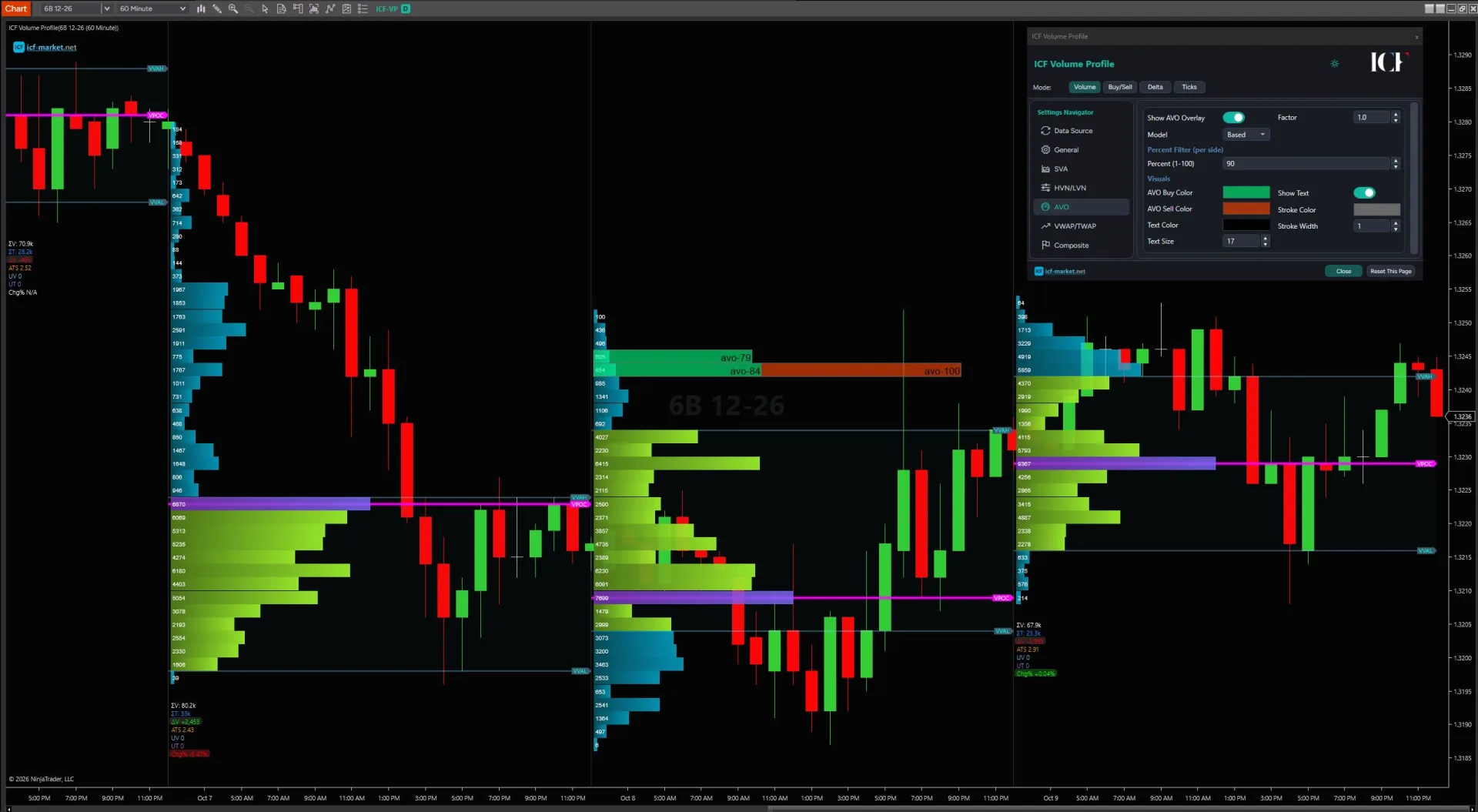
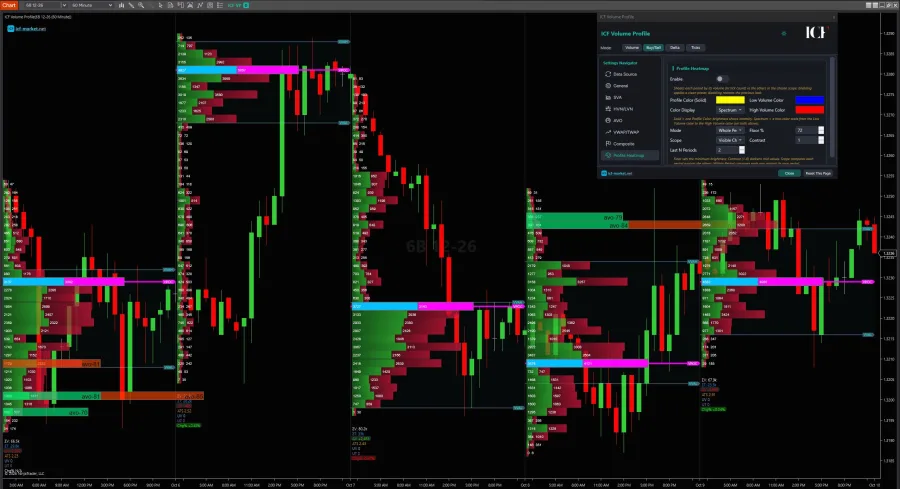
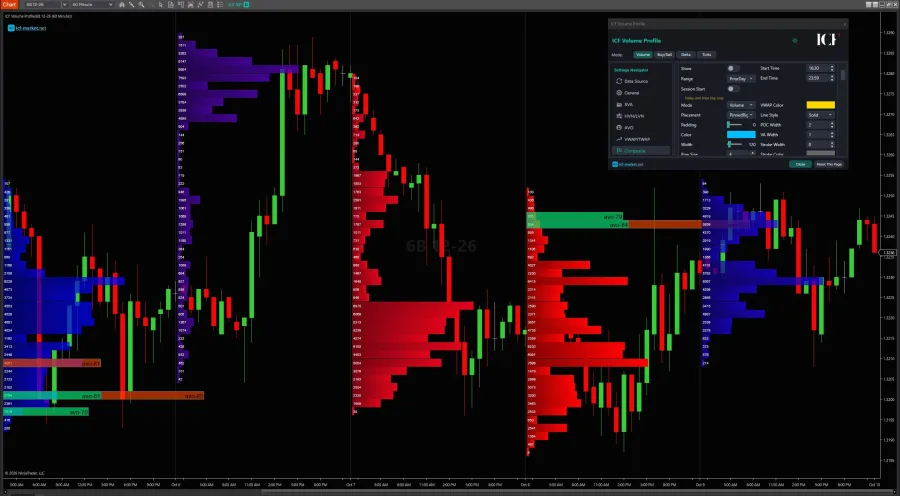
ICF Volume Profile on a NinjaTrader 8 chart: daily profiles with point of control, value area and AVO overlay
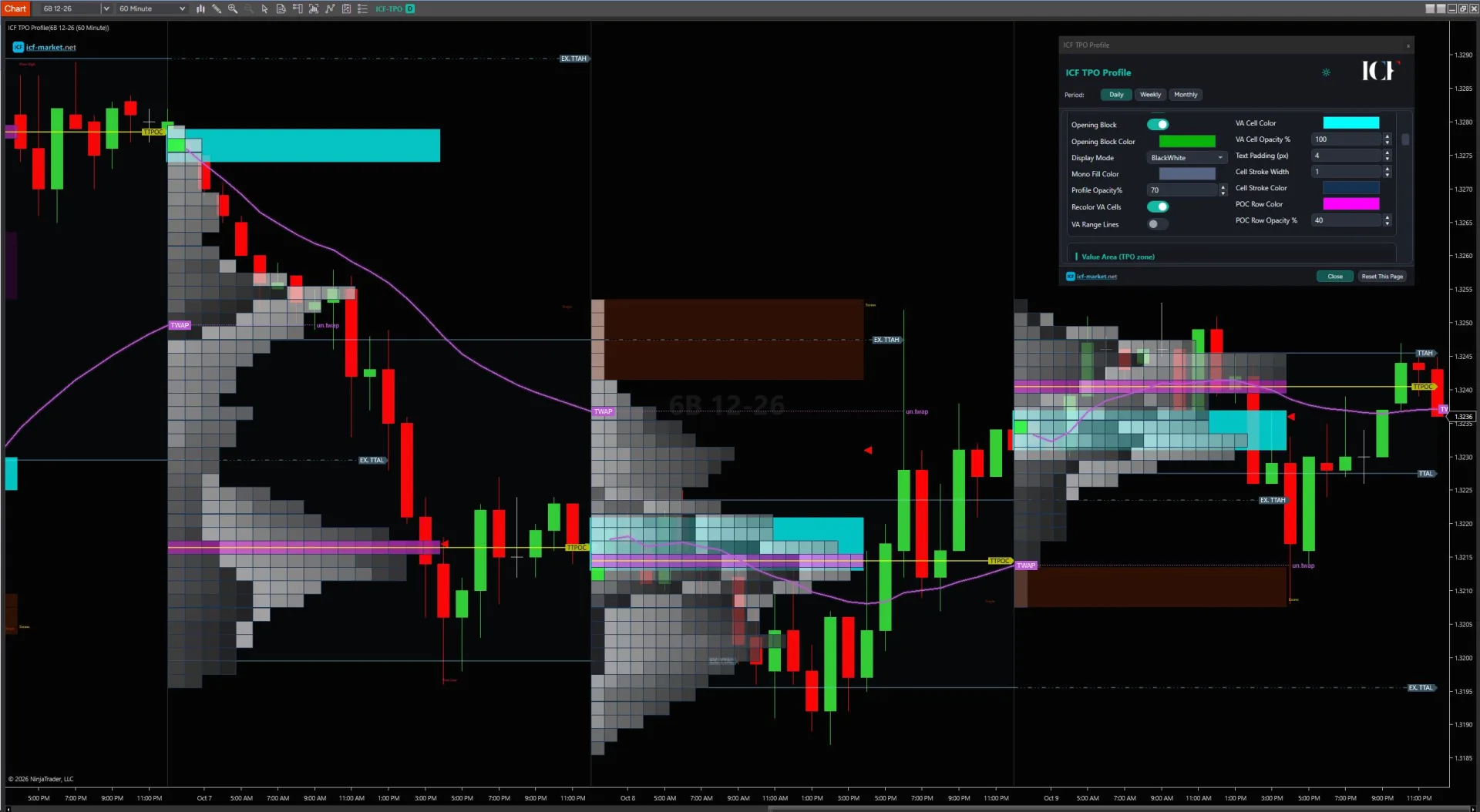
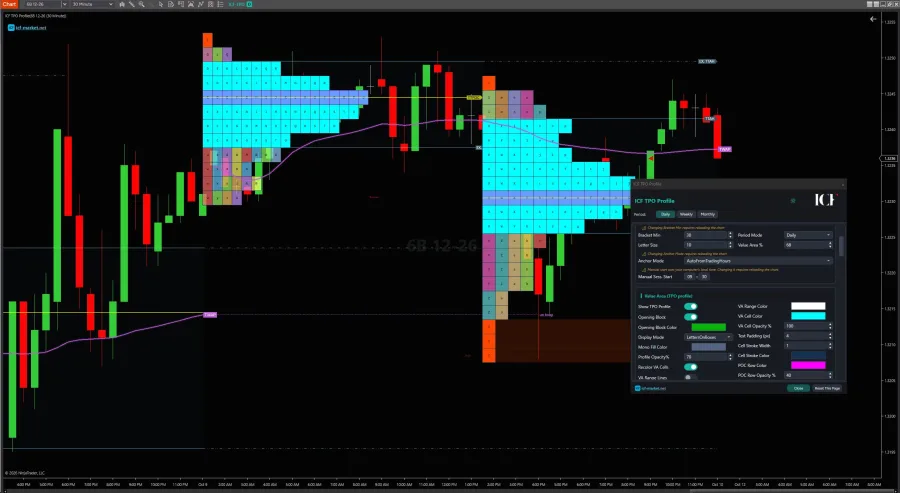
ICF TPO Profile on a NinjaTrader 8 chart: TPO blocks with value area, TPO point of control and TWAP
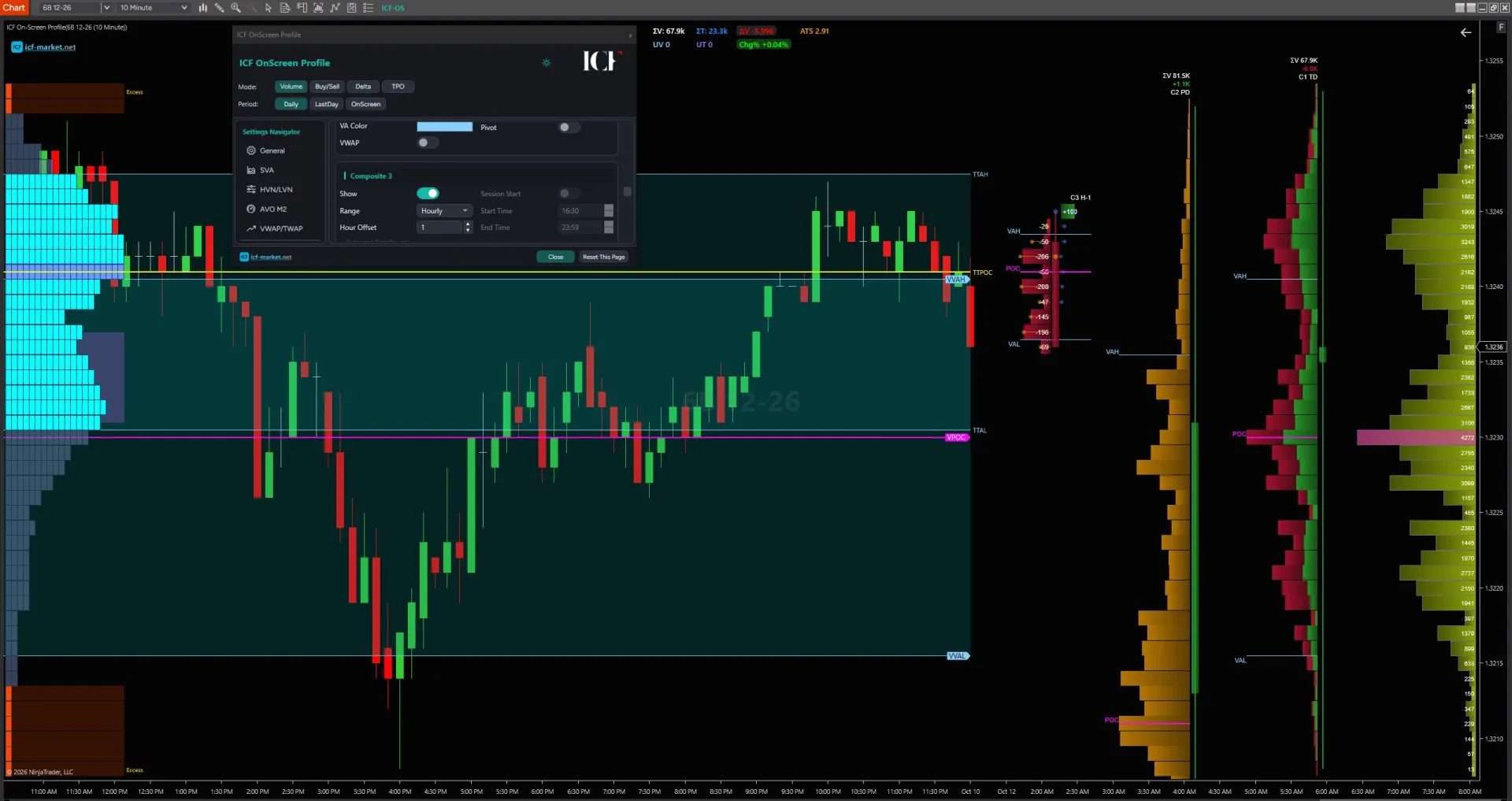
ICF On-Screen Profile on a NinjaTrader 8 chart: visible-range profile with value area and composites

Volume Profile on NinjaTrader, in depth

Native tools, data requirements, and when a third-party profile is worth it.

ICF Volume Profile on a NinjaTrader 8 chart with point of control and value area

Overview

NinjaTrader already gives you more than one way to build a Volume Profile, so the first decision is not “which paid indicator should I buy?” It is which native profile tool am I actually comparing against, and does it already solve the job?

NinjaTrader documents a separate VolumeProfile indicator that builds a real-time profile and can use Tick Replay for historical plotting, and it also provides Order Flow Volume Profile inside the Order Flow+ toolset. Order Flow Volume Profile is the more configurable native path: it can run as an indicator or drawing tool, supports repeating and custom ranges, and can build profiles from minute or tick data.

If that native workflow covers the way you analyze sessions, composites, or manually selected ranges, you may not need another indicator. A third-party tool becomes worth investigating when you can name a specific workflow you want to add—such as retaining more profile reference levels, keeping several independent composites visible, or combining additional profile analysis layers in one package.

Volume profile with high and low volume nodes

Where the ICF Volume Profile Pack fits

The ICF Volume Profile Pack is one third-party path for traders who need more than a basic session profile. The current pack includes ICF Volume Profile, ICF On-Screen Profile, and ICF TPO Profile, with profile modes and analysis layers aimed at users who work with multiple periods, composites, carried-forward levels, and related volume-at-price context.

That does not make it an automatic upgrade over NinjaTrader's native tools. If the native Order Flow Volume Profile already gives you the range, resolution and display behavior you need, staying native is a reasonable choice. The product is most relevant when one or more of its specific workflow capabilities solves a problem you have already identified.

Volume profile in buy and sell mode

First identify which NinjaTrader Volume Profile tool you mean

A search for a NinjaTrader Volume Profile indicator can refer to different tools with different historical behavior and configuration depth.

Volume profile in delta mode

NinjaTrader Volume Profile paths

Path What it is best suited to Important technical point
VolumeProfile indicator A running real-time volume profile with buy/sell/neutral classification NinjaTrader documents Tick Replay as the way this indicator can plot historical data; without it, historical values are not reconstructed in the same way.
Order Flow Volume Profile Session, bar, composite and custom-range profile work with more profile modes and resolution control Available as both an indicator and drawing tool. It supports minute and tick resolution, and some display modes such as Buy/Sell and Delta require tick resolution.
Third-party implementation A workflow that needs additional persistence, presentation, composite management or analysis layers Requirements are implementation-specific. Do not assume the data, Tick Replay or Level II rules from one tool apply to another.
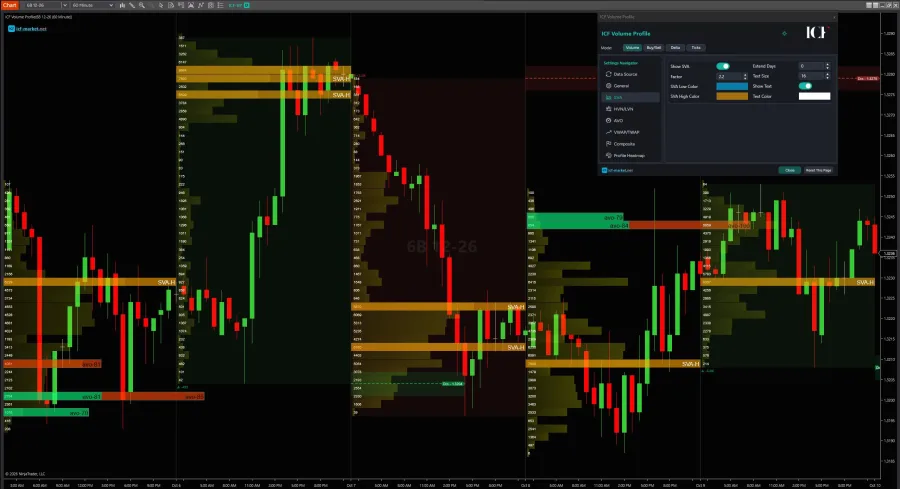
Volume profile with SVA bands

Choose the profile by four workflow questions

A useful comparison is not “which tool has the longest feature list?” It is whether the tool matches four parts of the profile job.

1. What range should the profile measure?

Start with the boundary.

A session profile answers a different question from a profile drawn over a hand-picked swing, a composite covering several sessions, or a profile that follows what is currently visible on screen. NinjaTrader's Order Flow Volume Profile supports repeating period profiles as well as a drawing tool for a manually defined start and end point. Its documented period options also include composite behavior and a visible-screen range.

That matters because a visible-range profile by itself is not a reason to buy third-party software. Native NinjaTrader already has a visible-screen-range option in Order Flow Volume Profile. The buying question is what you need around that range: how many profiles you want to keep, which reference levels must persist, which modes you need side by side, and how much manual chart management the workflow requires.

2. How should historical data be built?

For Order Flow Volume Profile, NinjaTrader offers minute and tick resolution.

Minute resolution is faster and lighter, but the native documentation describes it as an approximation: one-minute bar volume is distributed through the bar's price range to construct the profile. Tick resolution uses one-tick data, giving a more precise reconstruction of where trades occurred at the cost of more processing and data load.

That is a workflow tradeoff, not a universal instruction to use the heaviest setting. A broad multi-session context view may not need the same historical granularity as a narrow custom range used for detailed execution analysis.

3. What information should each profile row represent?

A standard Volume Profile answers how much executed activity occurred at each price. Depending on the implementation, the same distribution can also be classified or displayed in other ways.

NinjaTrader's Order Flow Volume Profile includes volume, tick and price profile types, along with display modes that can separate or overlay buy/sell and delta information. Its Buy/Sell and Delta display modes require tick resolution.

The current ICF Volume Profile also offers Volume, Buy/Sell, Delta and Tick modes. The practical question is not how many modes exist; it is which one answers the question you repeatedly ask of the chart.

4. What needs to remain visible after the profile is complete?

For many experienced users, this is where tools begin to differ more than they do in the basic histogram.

A profile may be useful only while it is forming, or you may want to keep selected structural references after the period ends. You may want prior POC or Value Area boundaries extended forward, several independent composites visible together, or only untested reference levels left on the chart. Those are persistence and chart-management requirements rather than definitions of Volume Profile itself.

Write those requirements down before comparing products. It is much easier to judge software when the requirement is “I need three independent composites plus prior profile levels carried forward” than when the requirement is simply “I want a better Volume Profile.”

ICF Market Volume Profile Indicators Pack

ICF Volume Profile Pack

Read where the market is accepting price, where participation is concentrated, and where the next decision may form.

  • ICF Volume Profile — point of control, value area, nodes, VWAP bands and composites
  • ICF TPO Profile — letter-cycle TPO, initial balance, single prints, poor highs and lows
  • ICF On-Screen Profile — the visible range, rebuilt as you scroll and zoom

$349

one-off · 1 seat · lifetime updates · VAT included

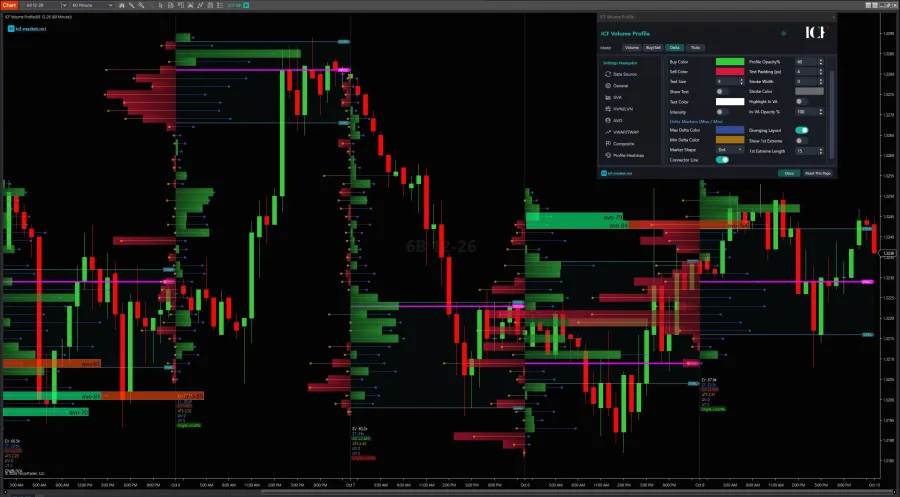
Volume profile with delta maximum and minimum marked

Read enough of the profile to compare tools correctly

You do not need a full auction-market-theory course to compare implementations, but you do need the basic vocabulary.

Volume at price is the distribution itself: how much trading activity occurred at each price inside the chosen range.

POC (Point of Control) is the price row with the largest value in the profile. It tells you where the selected profile concentrated the most activity; it does not guarantee that price will act as support or resistance later.

Value Area is a configurable band containing a selected share of the profile's activity. Its upper and lower boundaries are usually labeled VAH and VAL. The exact percentage is a tool setting, so do not treat one default as a universal market law.

HVN and LVN describe relatively high- and low-activity parts of the distribution. They are useful structural labels, but the detection method can vary by implementation, especially when a tool applies smoothing, prominence or neighborhood rules.

If your real question is how to interpret profile-derived levels as market structure rather than how to choose a NinjaTrader tool, the deeper volume-based support and resistance lesson is the better next page.

ICF TPO Profile on a NinjaTrader 8 chart with value area and TWAP

Historical accuracy and data requirements are tool-specific

This is the part most likely to be oversimplified.

Tick Replay is not a universal Volume Profile requirement

For NinjaTrader's separate VolumeProfile indicator, Tick Replay is specifically relevant to historical plotting. NinjaTrader explains that the indicator otherwise functions from real-time accumulation and does not reconstruct the same historical display when Tick Replay is disabled.

Order Flow Volume Profile has a different model. It can build from minute or tick data according to the selected resolution. Do not copy the Tick Replay rule from the simpler VolumeProfile indicator and apply it blindly to every Volume Profile tool.

Tick resolution is not the same thing as Level II

A Volume Profile is fundamentally about executed activity at price. Level II / depth-of-market data describes resting orders in the book. Those are different data questions.

Some profile display modes also classify trades using bid/ask information, and third-party implementations may have their own feed requirements. The safe rule is therefore tool-specific: check the exact implementation and the data source it says it needs. Do not assume “Volume Profile requires Level II” as a blanket statement.

Order Flow+ access is a current commercial entitlement, not an evergreen technical fact

Order Flow Volume Profile belongs to NinjaTrader's Order Flow+ toolset. NinjaTrader's plan and funding model can change, so check the current NinjaTrader pricing and plan page before treating access as settled for a particular account.

ICF has its own data requirement

The current ICF Volume Profile Pack page specifies NinjaTrader 8 or 8.1 and tick data from the feed as requirements for the pack. That is an ICF product requirement; it should not be generalized to every profile implementation.

ICF On-Screen Profile built from the visible chart range

When native NinjaTrader is enough

Start with native tools if most of the following are true:

  • You mainly need session, bar, composite, visible-screen or manually drawn custom profiles.
  • NinjaTrader's Order Flow Volume Profile display modes already answer your profile question.
  • Minute resolution is acceptable for the broader context you are studying, or you are comfortable switching to tick resolution where the additional detail is justified.
  • You do not need a separate layer for carrying many prior profile references forward in the way your workflow expects.
  • You are still learning which profile boundaries and modes you will actually use.

That last point matters. A native tool is often the best place to discover whether Volume Profile belongs in your process at all. Buying more features before you know which profile question you repeatedly ask usually makes the chart more complex, not the decision better.

For a broader comparison of volume and order-flow tool families, see NinjaTrader volume indicators and how to choose them.

TPO profile with split periods

When a third-party profile becomes worth investigating

Third-party software becomes easier to justify when the requirement is specific and repeated.

The current ICF Volume Profile Pack is relevant to workflows such as:

  • Keeping multiple independent composites visible rather than rebuilding them manually as your context changes.
  • Extending POC and Value Area references forward so completed profiles can remain part of the chart's structural context.
  • Working with HVN/LVN detection and retained levels as an explicit part of your analysis process.
  • Switching between Volume, Buy/Sell, Delta and Tick profile modes inside the same profile workflow.
  • Combining profile context with VWAP/TWAP-related layers, heatmap views or untested-level filtering when those layers are already part of your decision process.
  • Using daily, weekly and monthly profile periods plus multiple composites in one persistent workspace.

These are capability and workflow differences. They are not evidence that the software will improve trading performance, produce more accurate predictions, or create better entries by itself.

If those capabilities match a real requirement, inspect the exact current ICF Volume Profile Pack page for product details. If they do not, there is no advantage in buying them simply because they exist.

ICF Volume Profile on a NinjaTrader 8 chart with point of control and value area

Volume Profile is not Footprint, TPO, or the order book

Several adjacent tools answer different questions and are easy to mix together in a product search.

Volume Profile aggregates executed activity by price across a selected period or range.

A footprint / volumetric view works at a more granular bar-by-bar level and commonly separates bid/ask-classified execution at each price inside the bar. If that is the information you are actually trying to see, the footprint chart guide is the more relevant path.

TPO / Market Profile is time-at-price logic rather than executed-volume-at-price logic. It can be used beside Volume Profile, but it should not be treated as the same measurement simply because both produce profile-shaped distributions.

Level II / the order book is about resting liquidity. If your real question is what orders are waiting rather than what volume already traded, you are solving a different problem.

Volume profile with high and low volume nodes

Choose the workflow before the product

A practical NinjaTrader Volume Profile decision can be reduced to four questions: what range are you profiling, what historical resolution do you need, what should each profile row tell you, and what information must remain on the chart afterward? If NinjaTrader's native tools answer those questions, use them. If your process specifically calls for multiple retained composites, extended profile levels, additional profile modes or the other verified workflow layers in the ICF pack, review the ICF Volume Profile Pack and compare those capabilities against your actual requirements. The right tool is the one that measures the thing you intended to measure without adding a second problem to the chart.

Every view in the pack

The same three indicators, set up eight different ways. Scroll the fan, or click a card to open it.

  • Buy and sell volume — ICF Volume Profile
  • Delta mode — ICF Volume Profile
  • Delta max and min — ICF Volume Profile
  • High and low volume nodes — ICF Volume Profile
  • Composite profiles — ICF Volume Profile
  • SVA bands — ICF Volume Profile
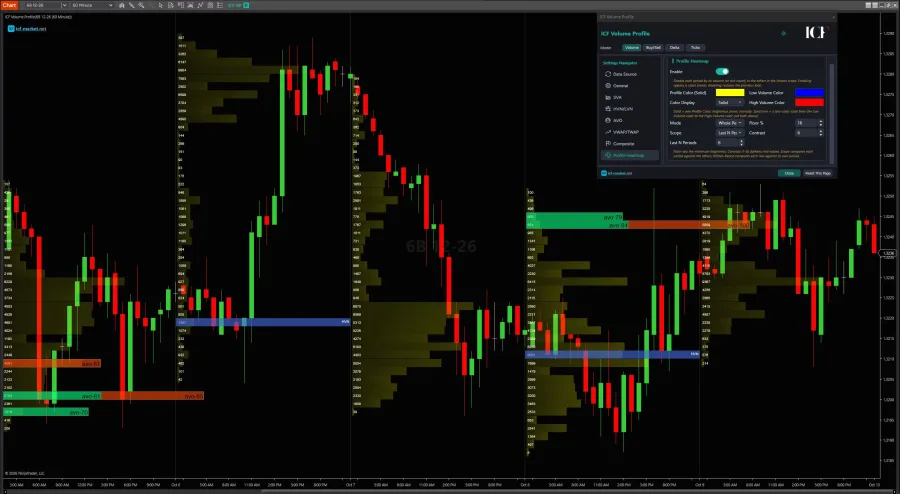
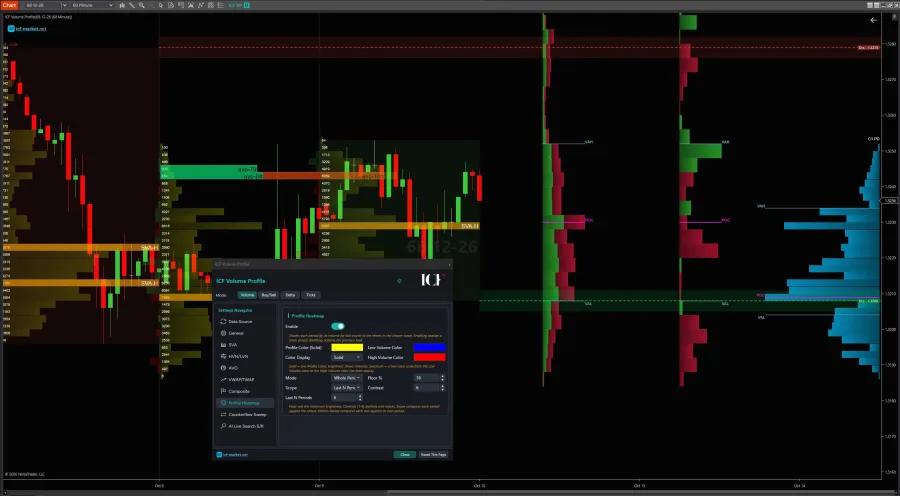
  • Profile heatmap — ICF Volume Profile
  • Split periods — ICF TPO Profile

NinjaTrader Volume Profile FAQ

Yes. NinjaTrader documents both a separate VolumeProfile indicator and the more configurable Order Flow Volume Profile tool inside Order Flow+. Order Flow Volume Profile is available as an indicator and a drawing tool.

It depends on the tool. NinjaTrader's VolumeProfile indicator uses Tick Replay for historical plotting. Order Flow Volume Profile instead has its own minute/tick resolution model. Do not apply one tool's historical-data rule to every implementation.

Use the resolution that matches the job. NinjaTrader documents minute resolution as faster and approximate, while tick resolution is more accurate and more resource-intensive. Tick resolution is also required for some display modes such as Buy/Sell and Delta.

Do not assume so. Volume Profile is based on executed activity by price, while Level II describes resting order-book depth. Some modes and implementations need specific trade or bid/ask data, so check the requirement of the exact tool rather than using a blanket Level II rule.

No. It is a different implementation with additional workflow capabilities. If native Order Flow Volume Profile already covers your range, resolution, display and persistence needs, staying native is reasonable. ICF is worth investigating when its specific capabilities solve a workflow requirement you actually have.

Our partners

NinjaTrader NinjaTrader Ecosystem Kinetick PropFirmConnector Boxcar Trading

Compare the ICF pack against your workflow

Review the current product details and requirements before deciding whether the additional profile workflow is useful to you.

View the ICF Volume Profile Indicators Pack